MPC SAMPLE / SCREEN BRIDGE
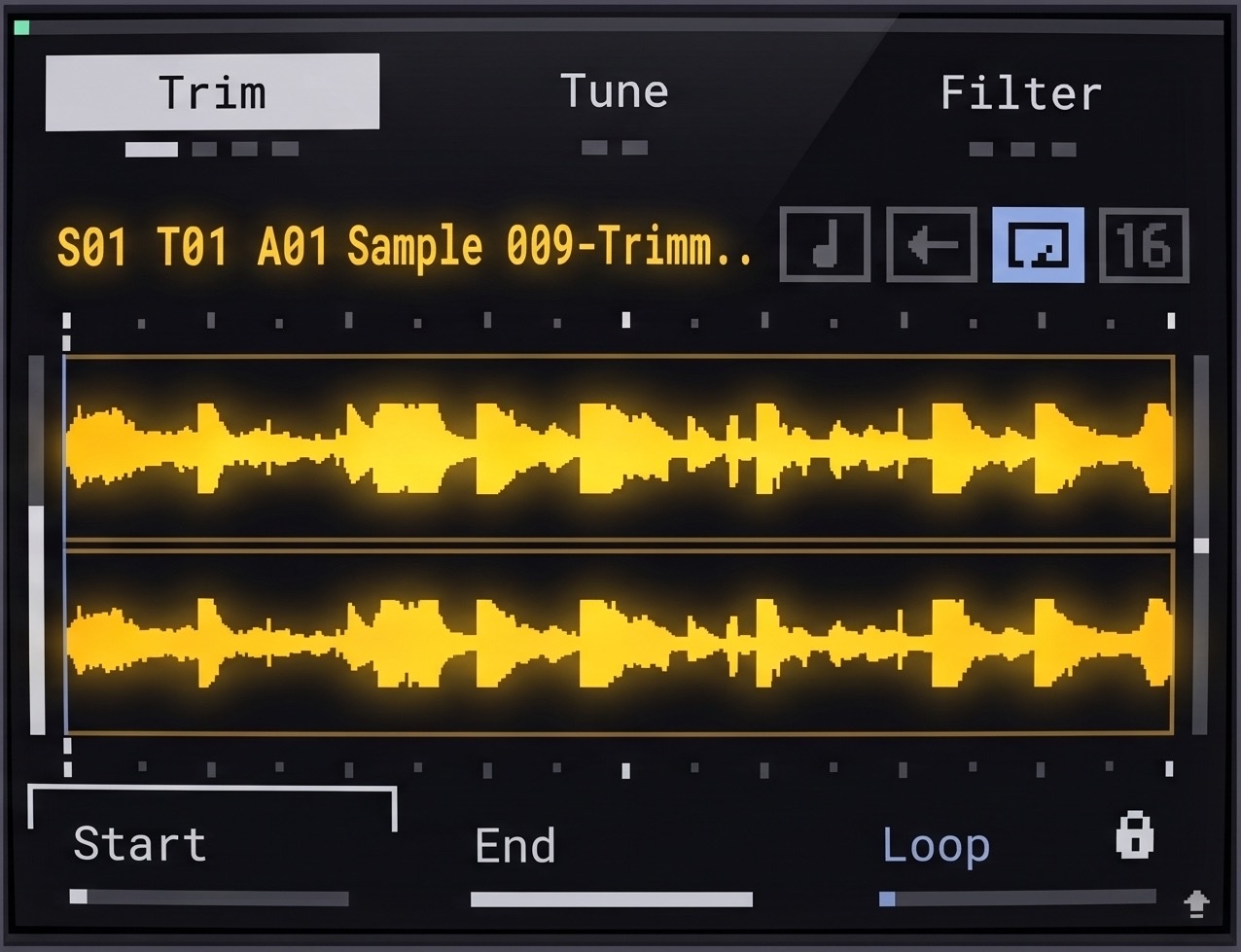
Your MPC Sample's screen, on your iPad or phone.
See it big, play it by touch, and learn it with 92 lessons from Killavic. Screen Bridge lives on the SD card. Take the card out and your MPC is stock again.
One app for everyone: try it free, then unlock inside the app whenever you like.
For Mac and Windows.
One licence is included with a KCC subscription: press Unlock in the app and sign in.
How to set it up
Install
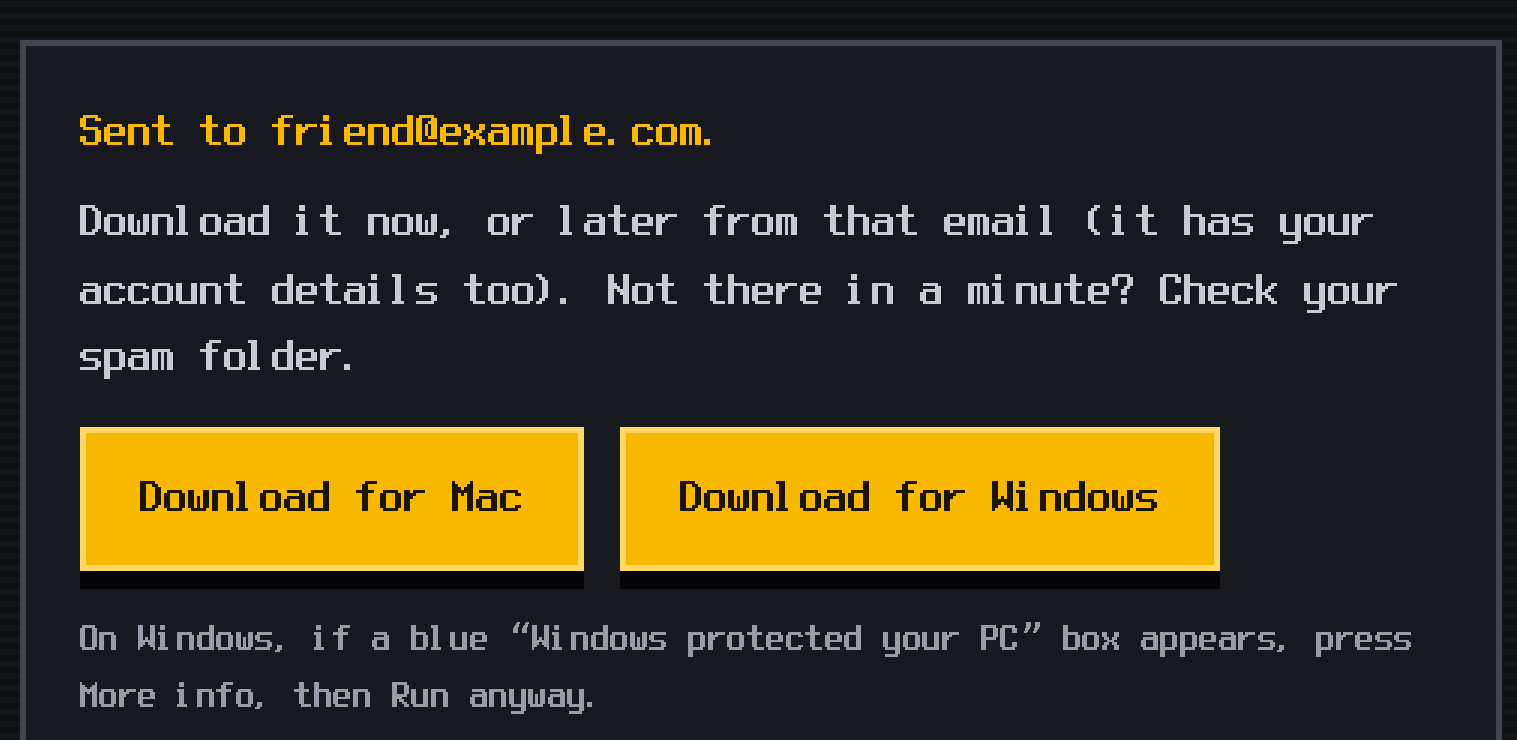
Download the app
Press Try free above and install the app on your Mac or PC.
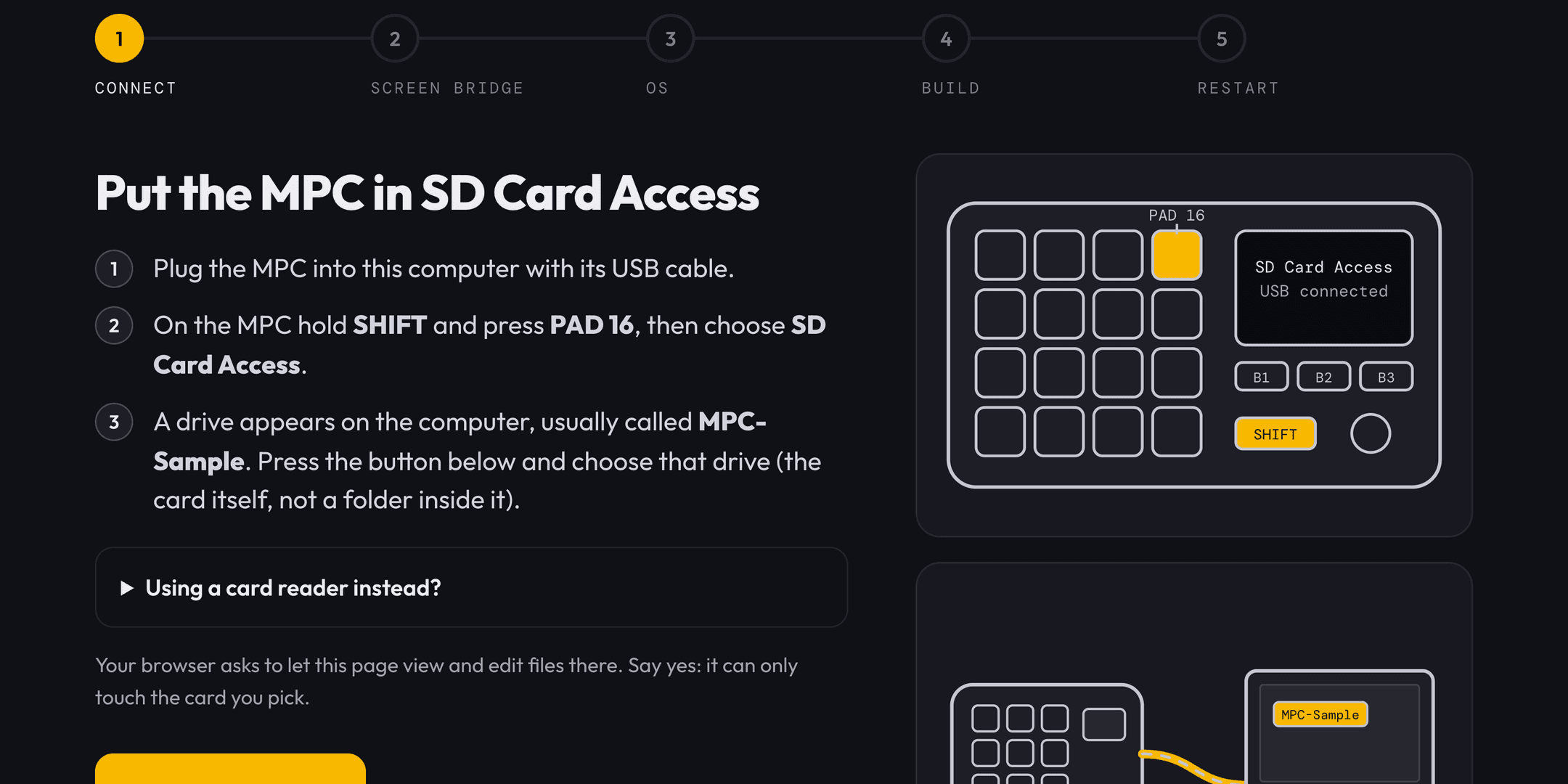
Connect the MPC
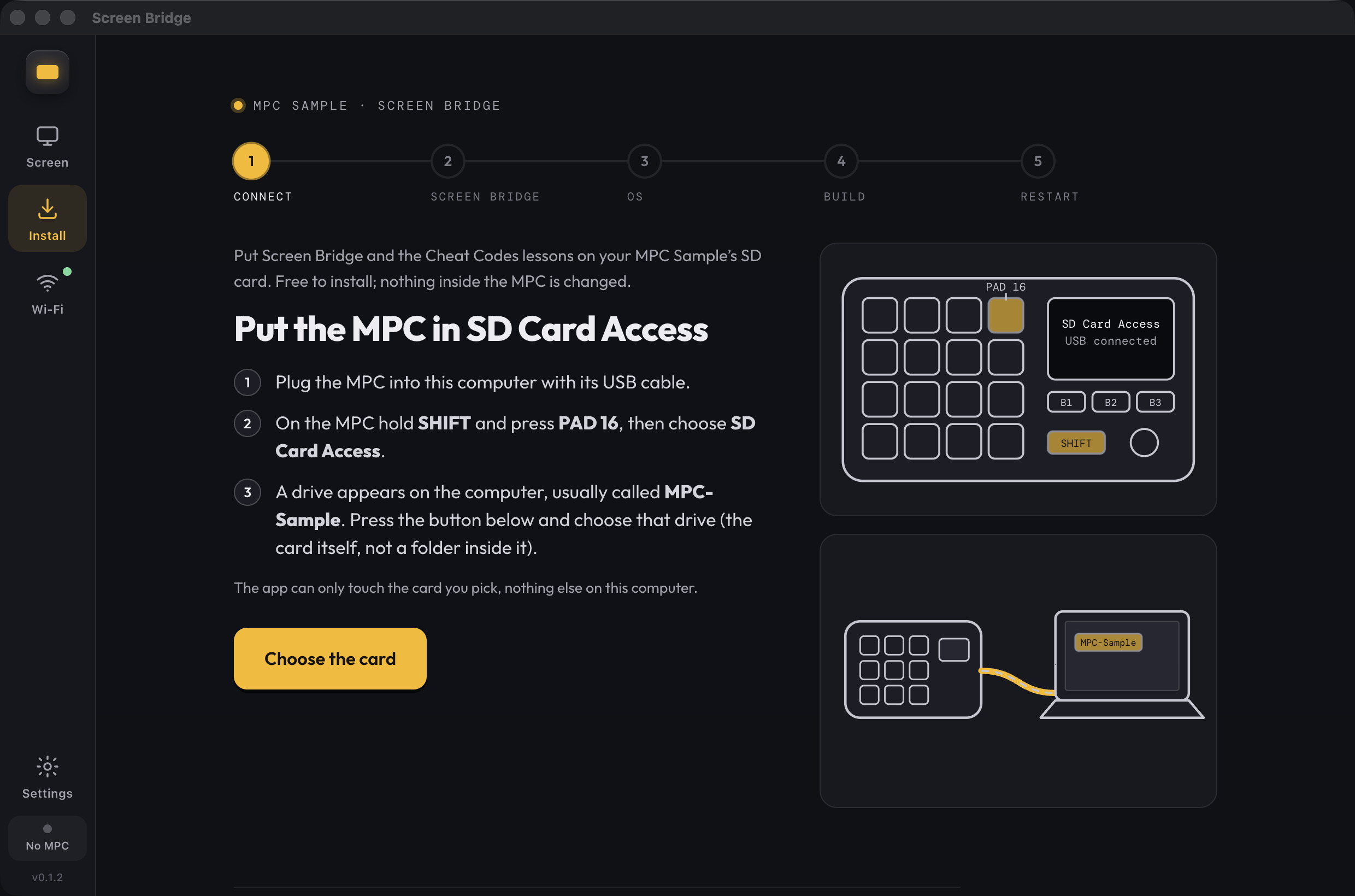
Plug it in, choose SD Card Access on the MPC, then Choose the card in the app.
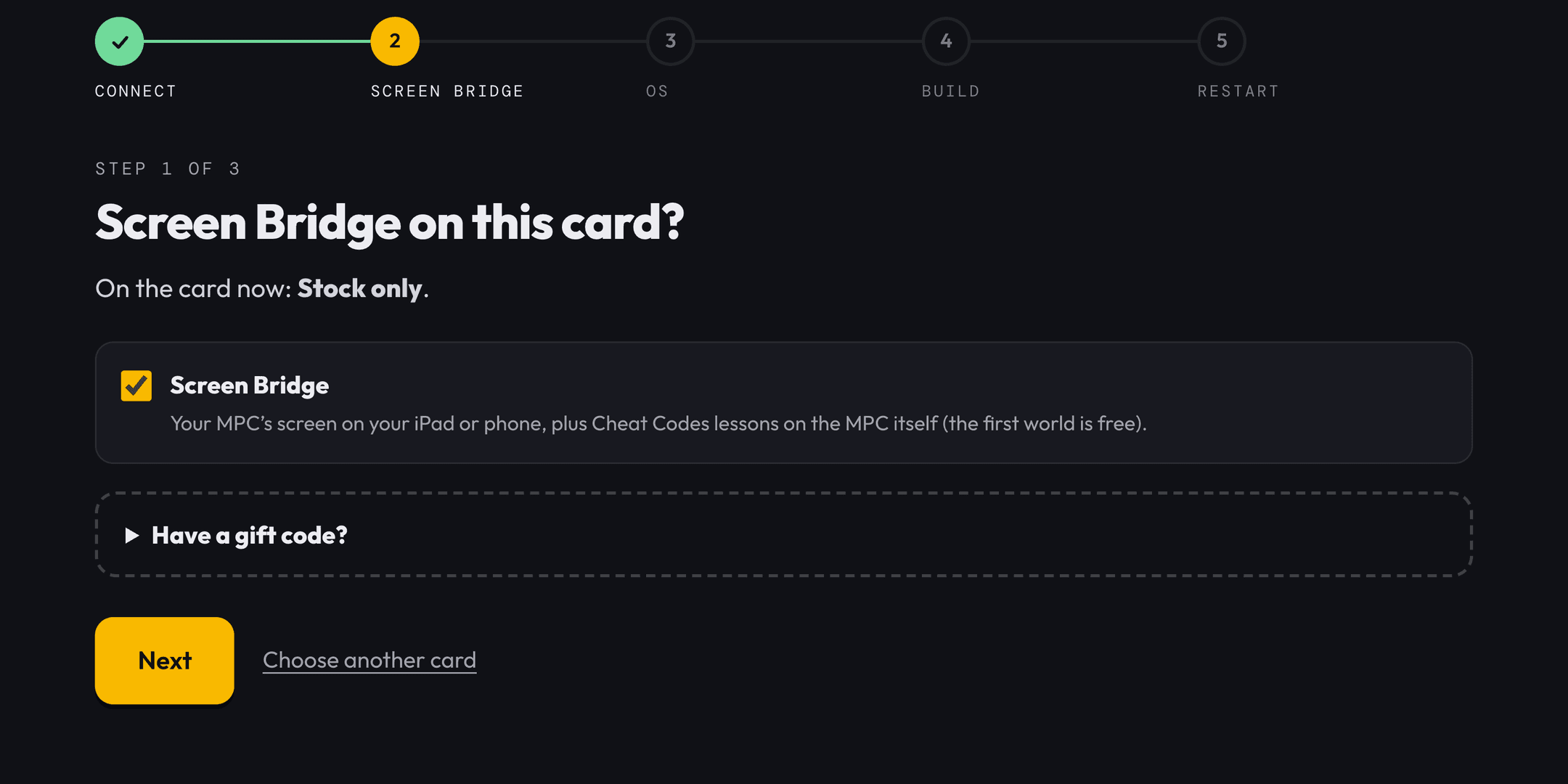
Tick Screen Bridge
Leave it ticked and press Next.
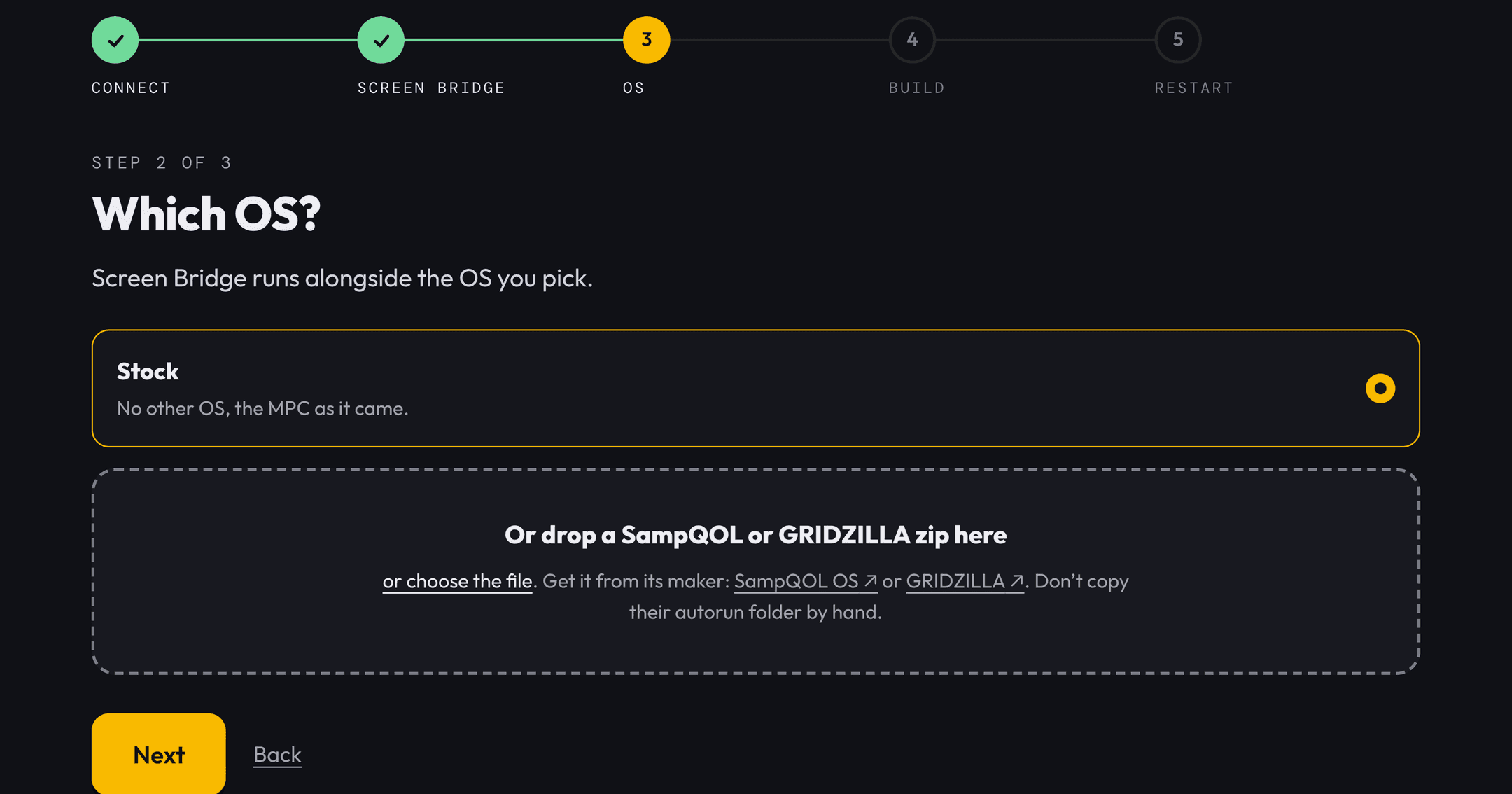
Pick your OS
Stock, or drop a SampQOL or GRIDZILLA zip.
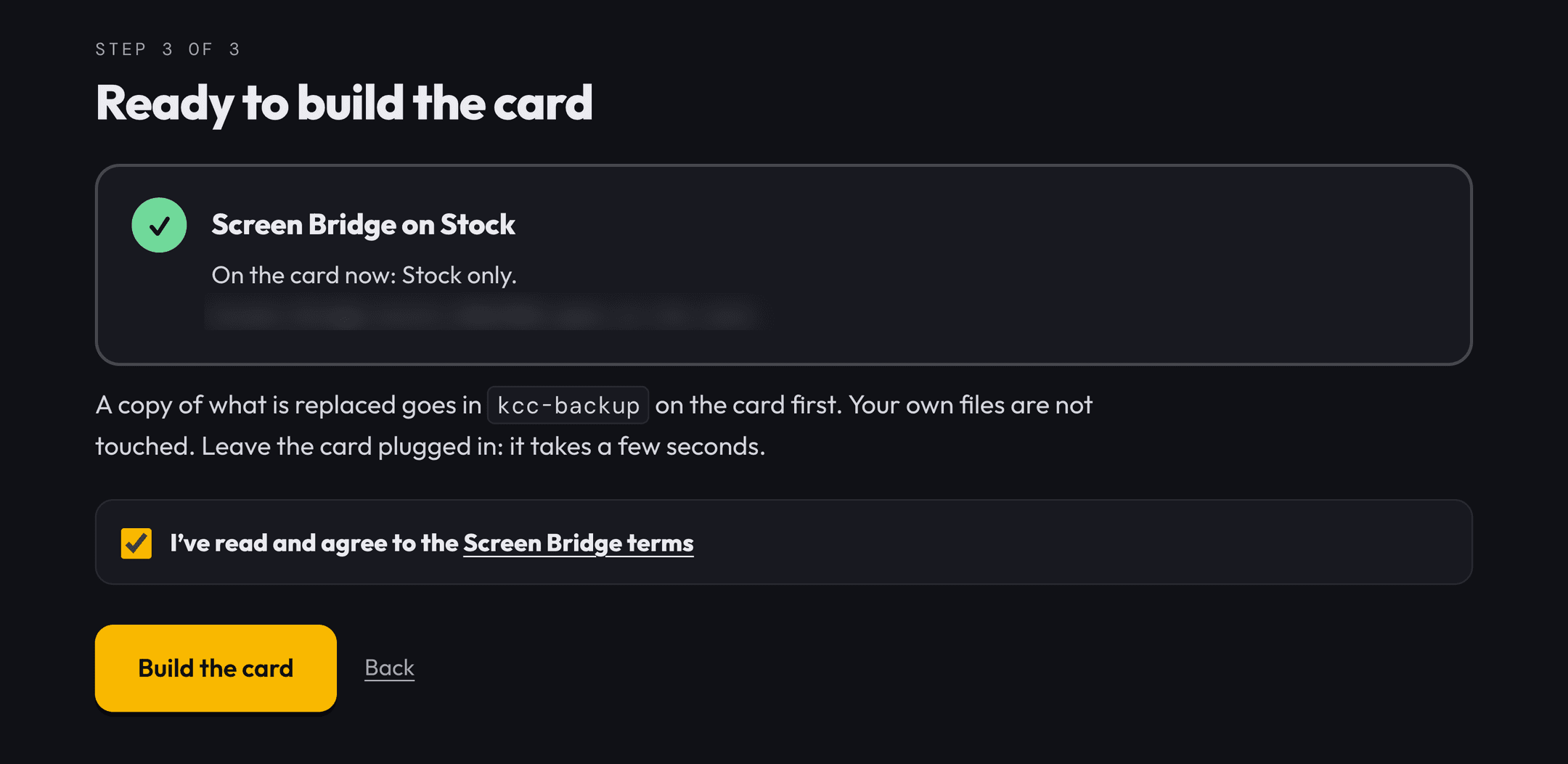
Build the card
Tick the terms and press Build the card.
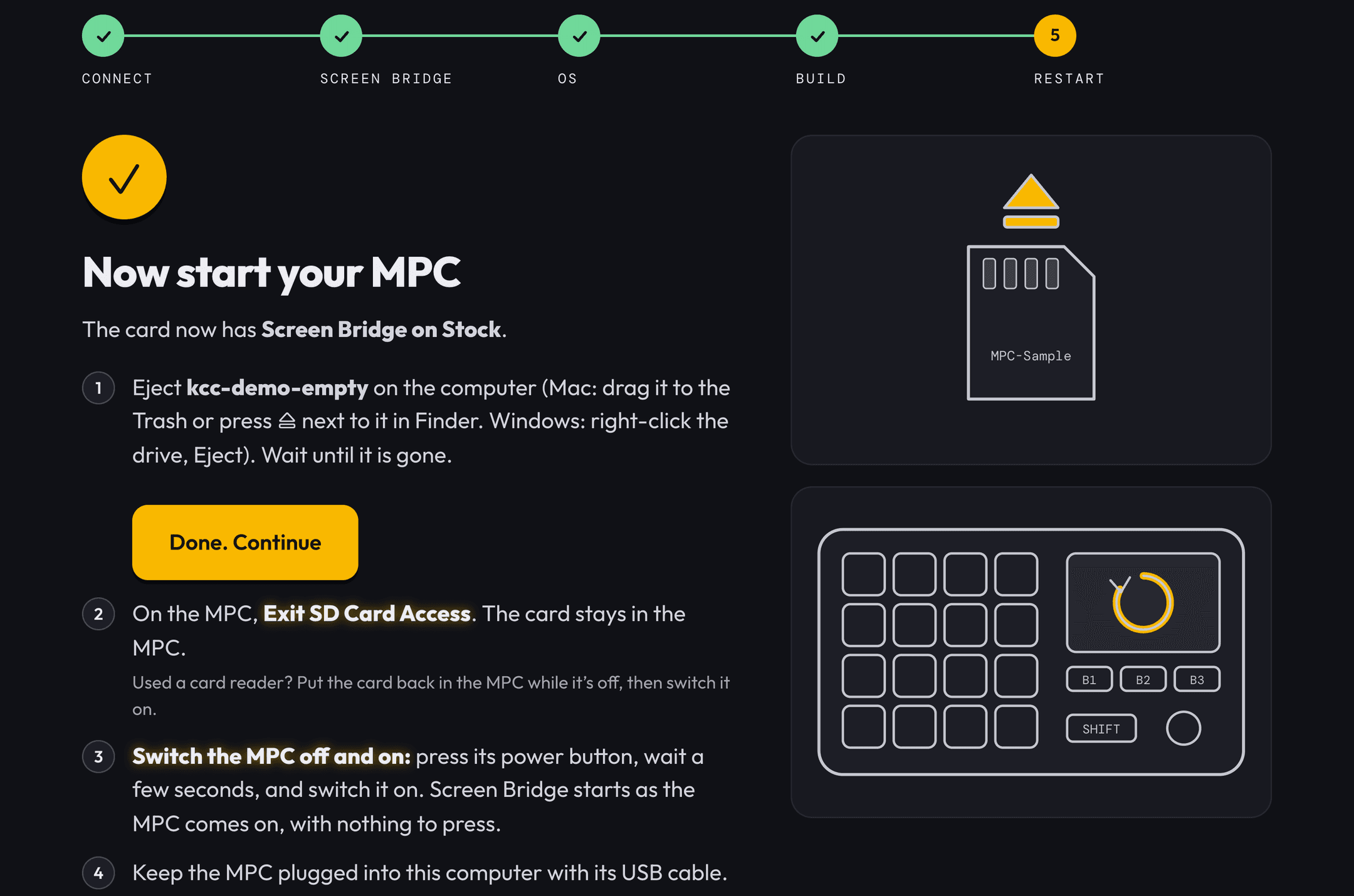
Restart the MPC
Eject, Exit SD Card Access, switch the MPC off and on.
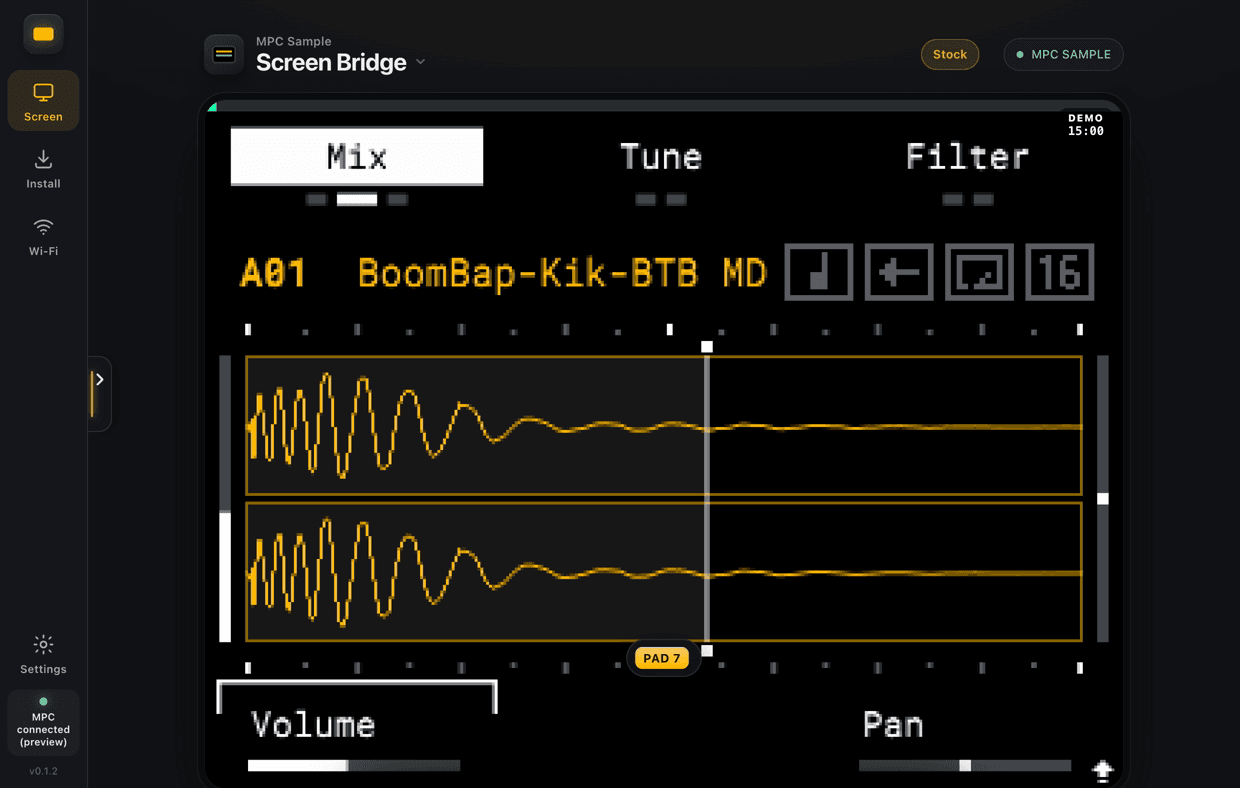
See it
Open Screen
Your MPC’s screen appears in the app. Free preview until you unlock.
Unlock
Unlock this card
Press Unlock this card. $9.99, once, lifetime updates.
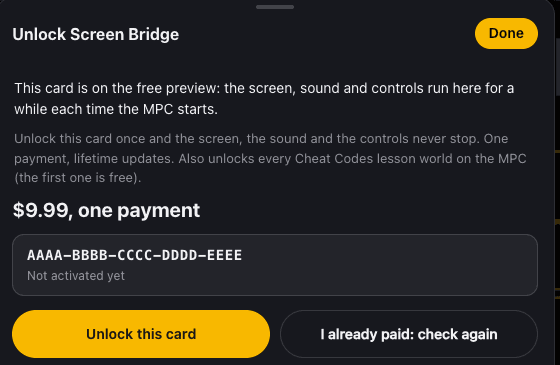
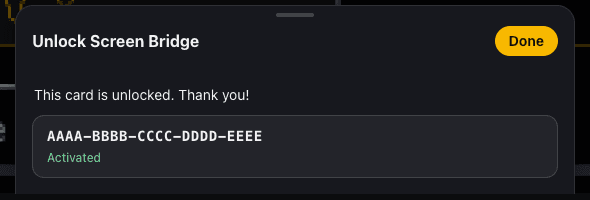
Phone or iPad
Over Wi-Fi
In the app open Wi-Fi and scan the code with your phone or iPad.
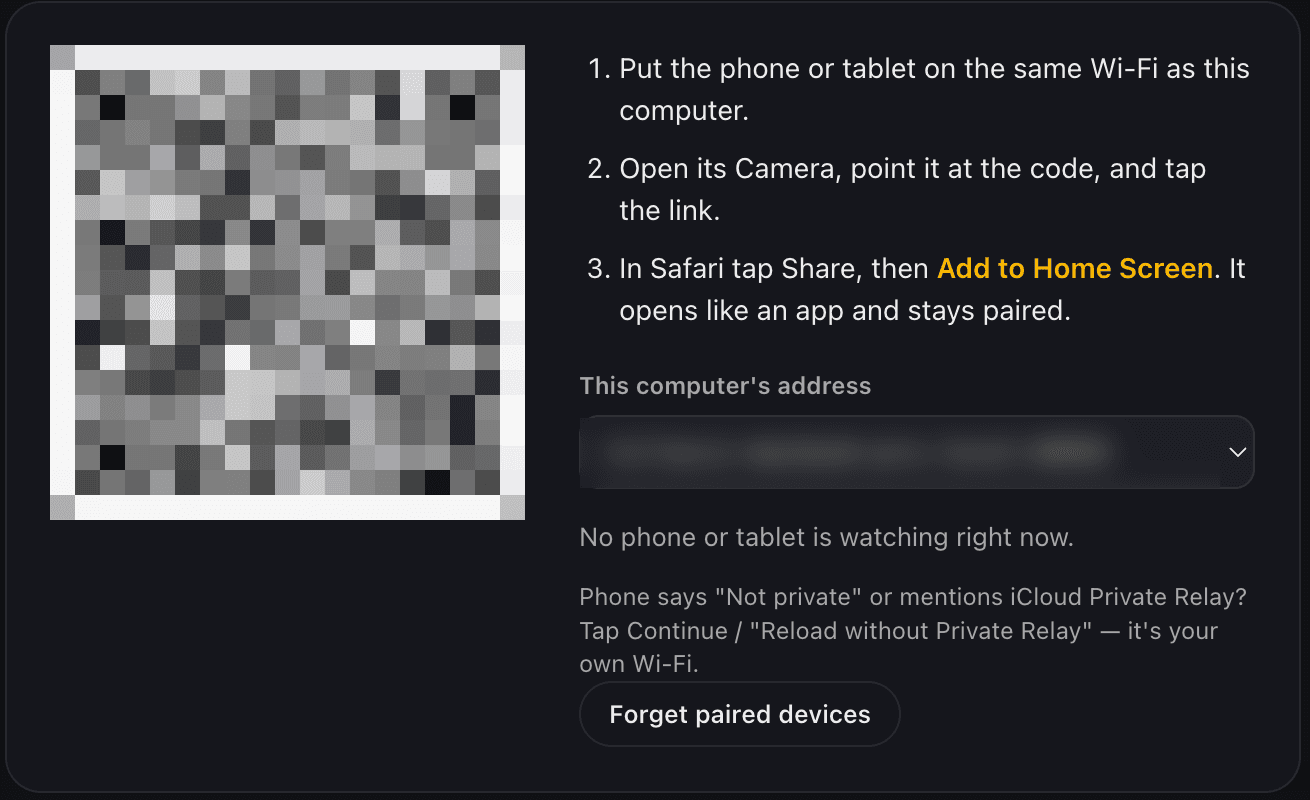
Or plug into the MPC
Open 192.168.155.1:8080 in Safari on the plugged-in iPad or phone.
How to unlock Screen Bridge ($9.99)
Before you start
- The MPC on and plugged into your computer with the USB cable.
- The Screen Bridge app open, and the computer online.
- The MPC not in SD Card Access.
- Pay on the computer: on an iPad or phone the button only says “How to unlock”.
Open the Unlock window
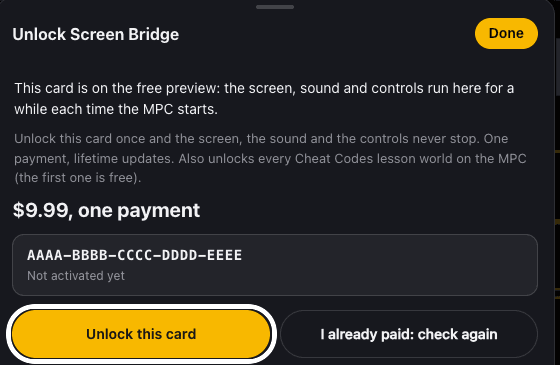
In the Screen Bridge app, click DEMO at the top right of the MPC screen (or Unlock on the screen once the free preview has ended). Or click Settings, then Unlock under This card.
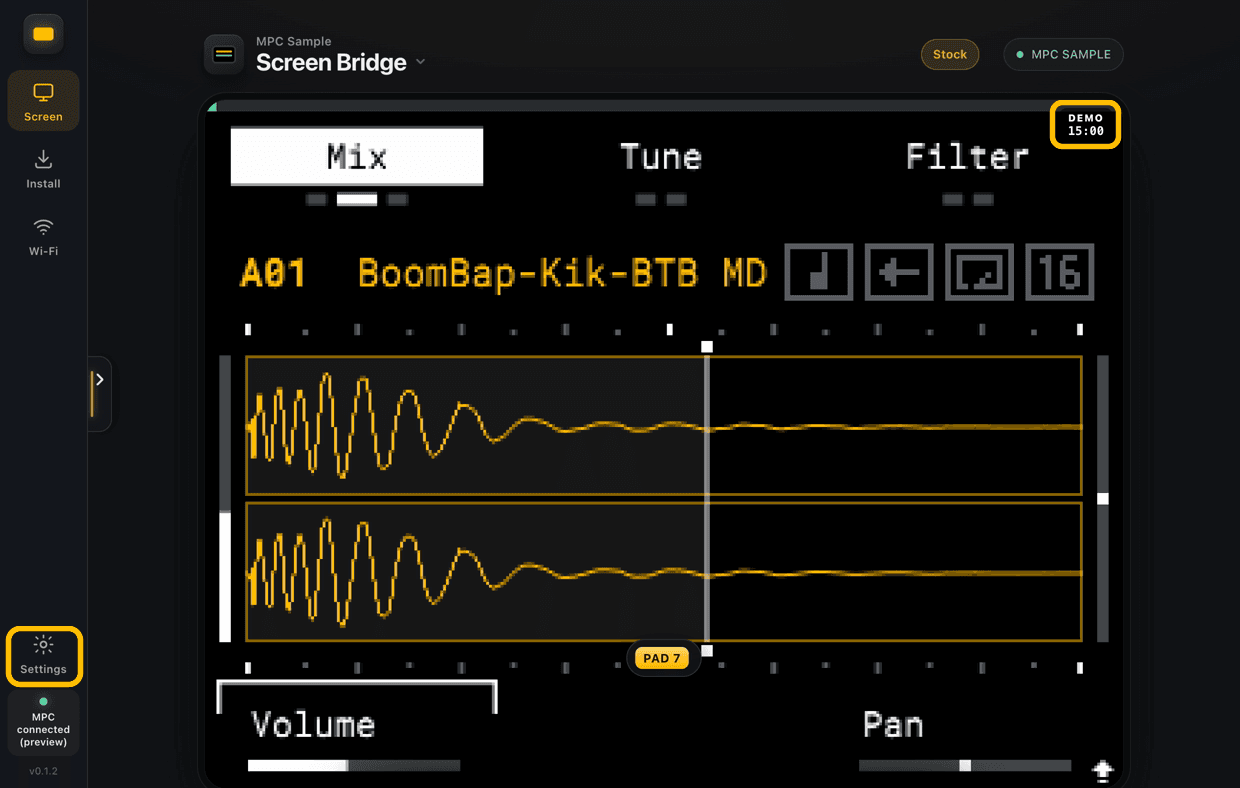
Click “Unlock this card”
Your web browser opens the payment page for this card.
Pay $9.99
Your card’s ID is already filled in. Click Unlock this card · $9.99 and pay on the secure Stripe checkout, with a card or Apple Pay.
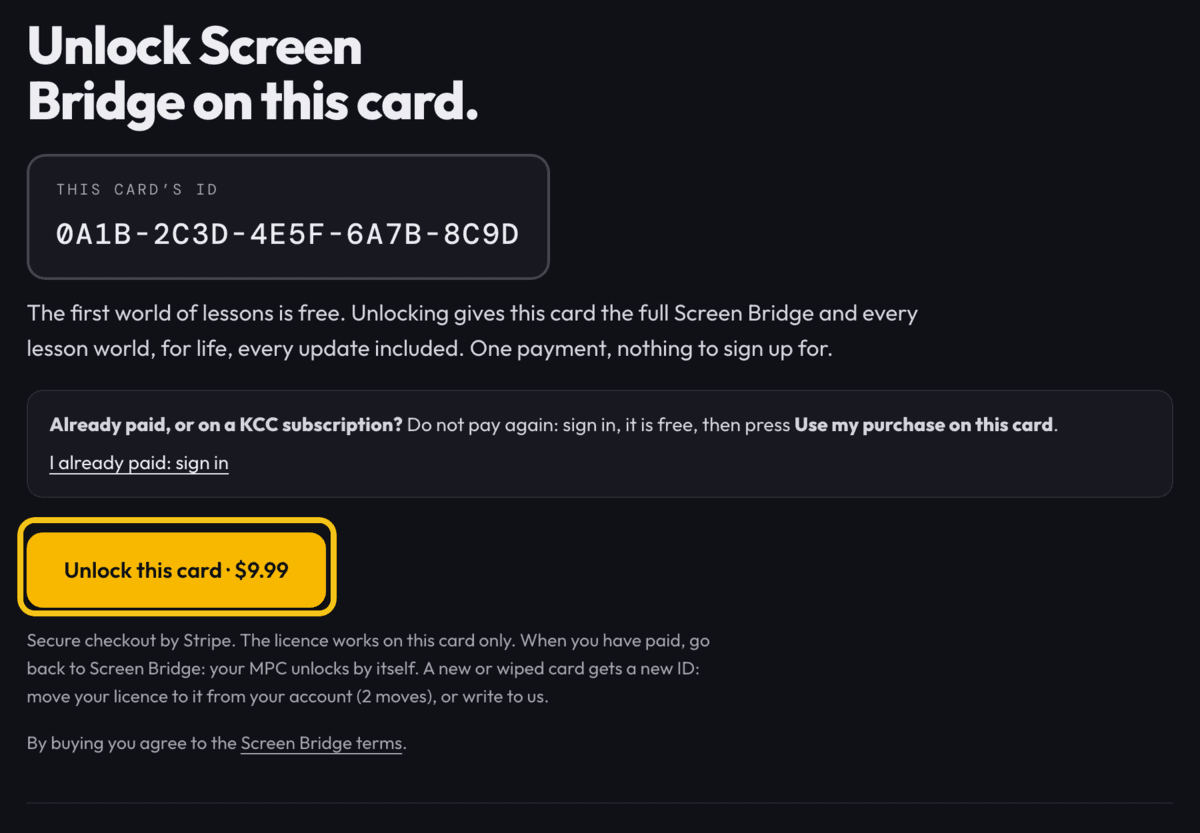
The ID in this picture is an example. Yours shows your own card’s ID. Go back to Screen Bridge
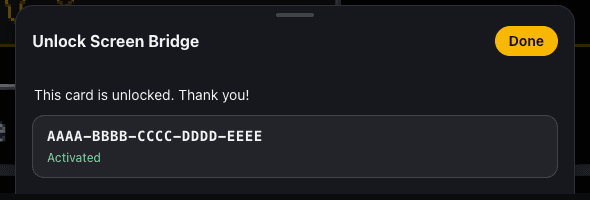
The app unlocks by itself within a few seconds and shows Activated.
If it doesn’t unlock
- Still locked after a minute? Open the Unlock window again and click I already paid: check again.
- In SD Card Access? Eject the card on the computer, then exit SD Card Access on the MPC.
- Paid before, or on a KCC subscription? Don’t pay again: on the payment page click I already paid: sign in, then Use my purchase on this card.
- New SD card? Move the licence to it from your account (2 moves).
- Still stuck? Write to contact@killaviccheatcodes.app.
How to open the Cheat Codes lessons
The lessons play on the MPC itself: Killavic shows up on its screen and walks you through each move. You need Screen Bridge on the card (installed with the app); the app itself doesn’t have to be open.
Open the Project menu
On the MPC, press SHIFT + PAD 16.
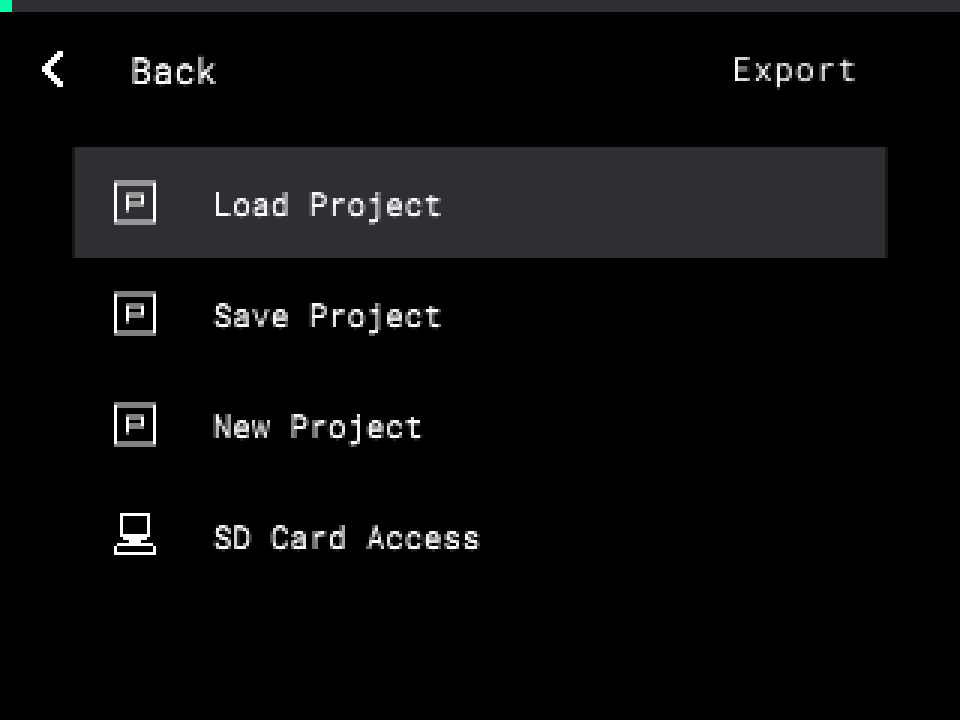
Press PAD 16
The Cheat Codes menu opens. Lessons is the first row: press B3 (Open).
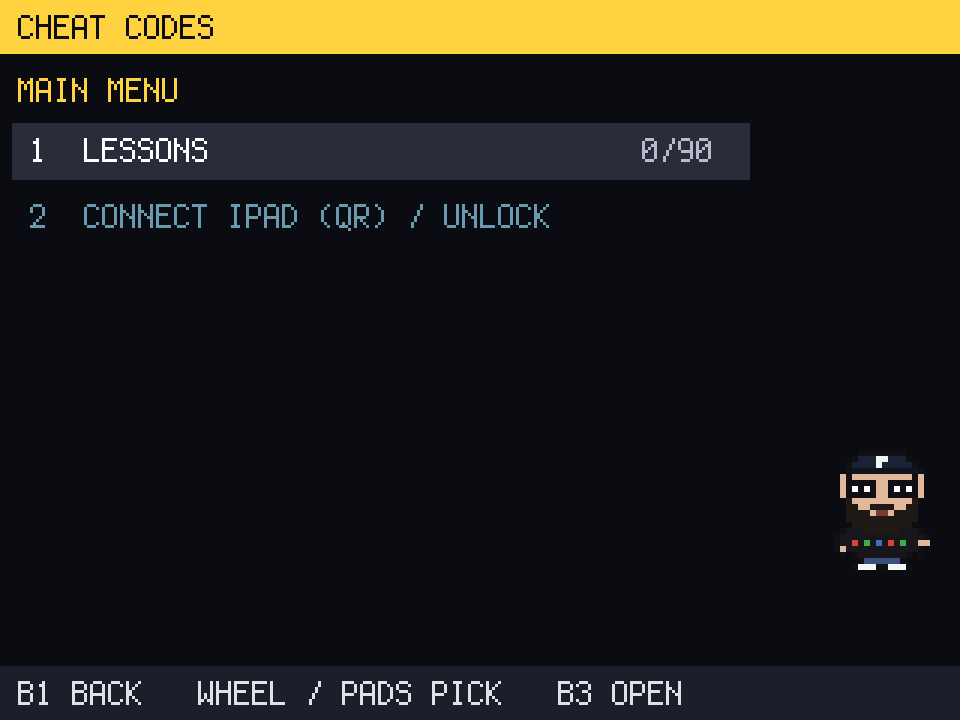
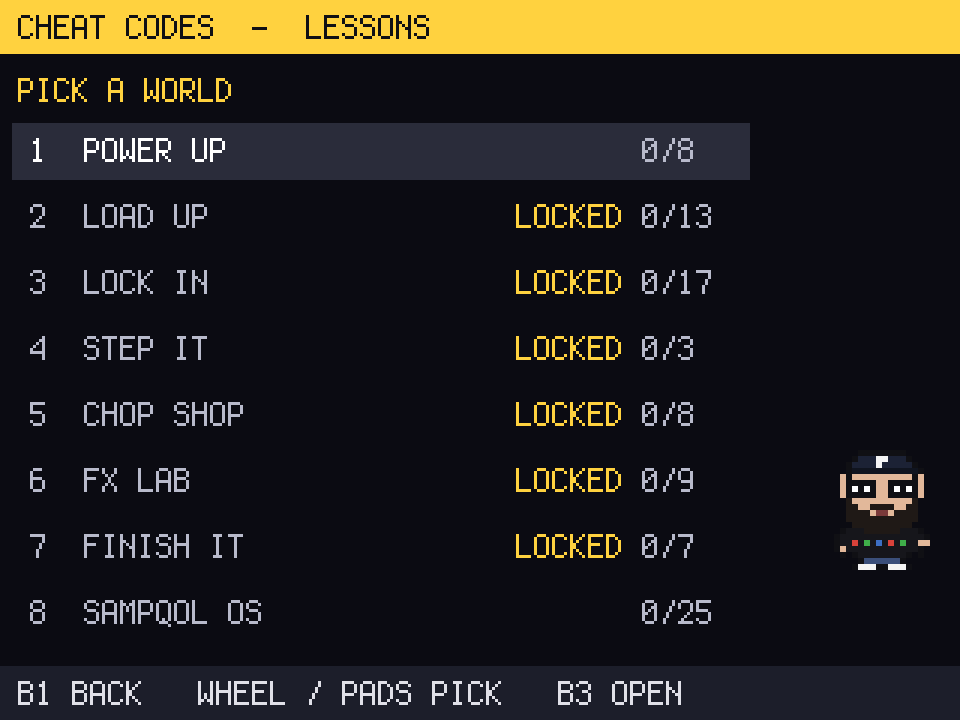
Pick a world
Turn the wheel or tap a pad, then press B3. World 1 is free; on SampQOL its own world is free too.
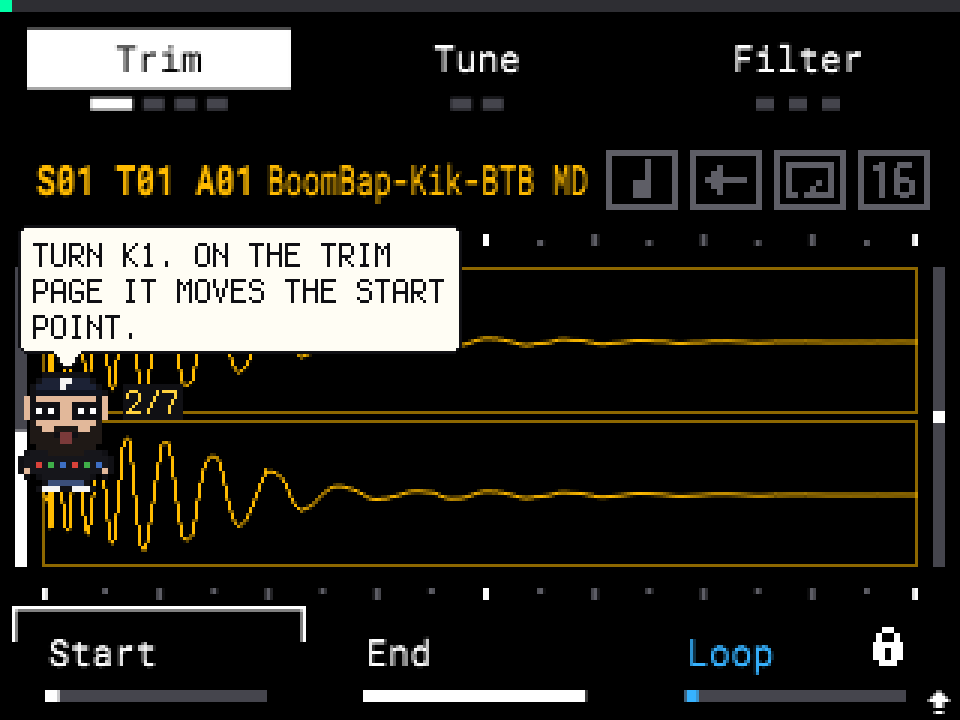
Pick a lesson and start
Press B3 (Start). Killavic tells you what to press, and says Nice! when you’ve got it.
Or, in the Screen Bridge app, open the shortcuts sidebar and click Lessons.
Lessons: questions and answers
- Which lessons are free?
- World 1, Power Up (the buttons, knobs, loading and recording sounds). On SampQOL, its own world is free too. Unlocking Screen Bridge opens every world.
- Do I need the app or a computer for the lessons?
- Only once, to put Screen Bridge on the SD card. After that the lessons run on the MPC by themselves.
- Is my progress saved?
- Yes, on the SD card. Finished lessons count up in the menu (for example 3/8).
- How do I stop a lesson?
- Open the menu again (SHIFT + PAD 16, then PAD 16) and pick another lesson, or switch the MPC off. Start again whenever you like.
- Do the lessons work with SampQOL or GRIDZILLA?
- Yes. The lessons follow the OS on your card, and SampQOL gets a world of its own about its features.
- I’m new to the MPC. Where do I start?
- World 1, lesson by lesson. Each lesson is one move (one cheat code), a few minutes long.
DEMOSee Screen Bridge in actionKillavic shows off a few features on a real MPC Sample.
CHEAT CODES LESSONSLearn your MPC from Killavic, on the MPC itself92 lessons on the MPC’s own screen. World 1 is free.
92 lessons, played on the MPC with its own buttons. Killavic tells you what to press, watches you do it, and says Nice! when you’ve got it. Each lesson is one cheat code, a few minutes long.
- 1Power UpFreeThe buttons, the knobs, loading and recording your first sounds
- 2Load UpTrim, tune, filter and shape your samples; 16 Levels
- 3Lock InMetronome, quantize, Note Repeat, swing and sequences
- 4Step ItStep Edit and the step sequencer
- 5Chop ShopChopping, Warp, resampling and sampling your gear
- 6FX LabPad FX, Flex Beat, Knob FX and recording knob moves
- 7Finish ItSongs, trackouts and a beat from start to finish
- 8SampQOL OSFree on SampQOLEvery SampQOL feature, on SampQOL
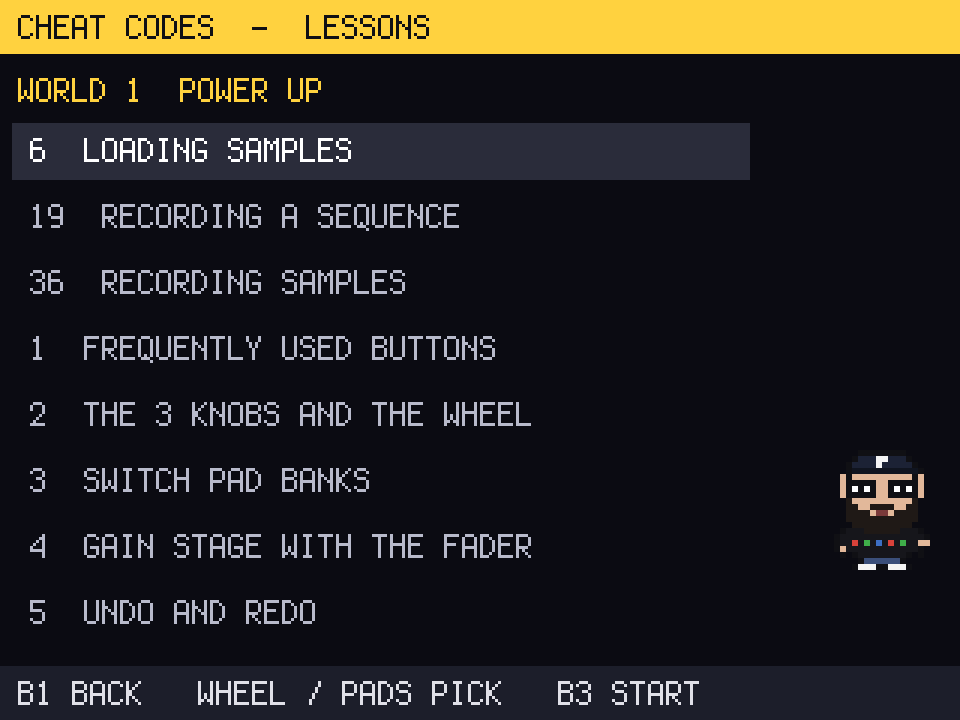
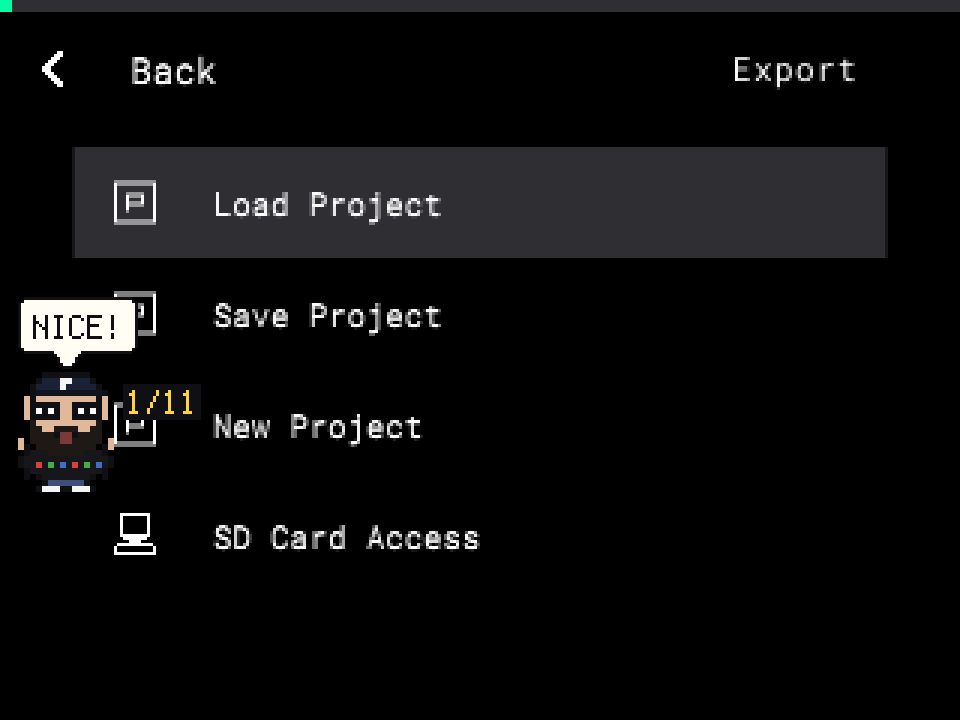
World 1 is free. To open the lessons: on the MPC press SHIFT + PAD 16, then PAD 16. Step by step, with pictures · Questions
Inside the app
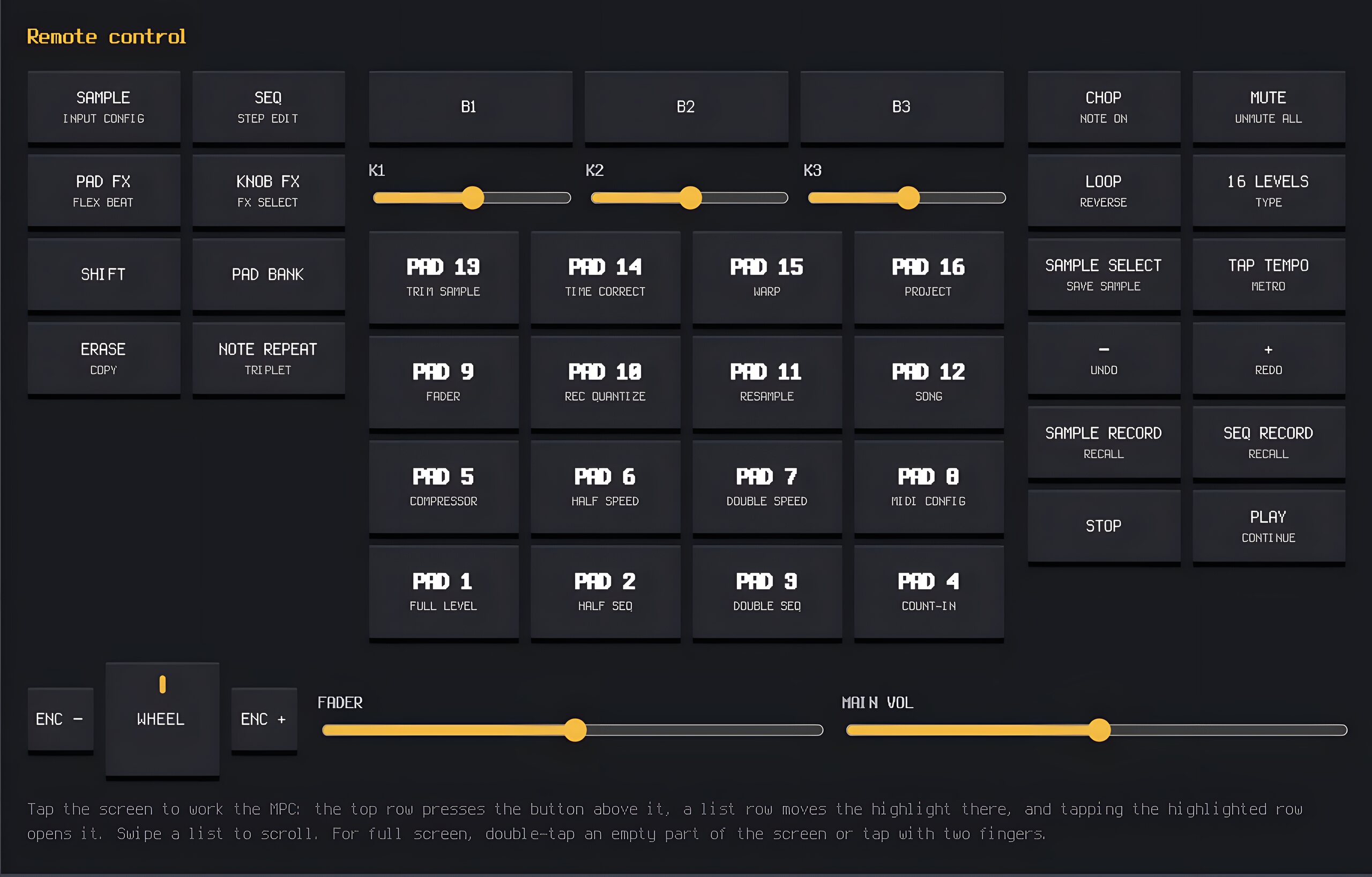
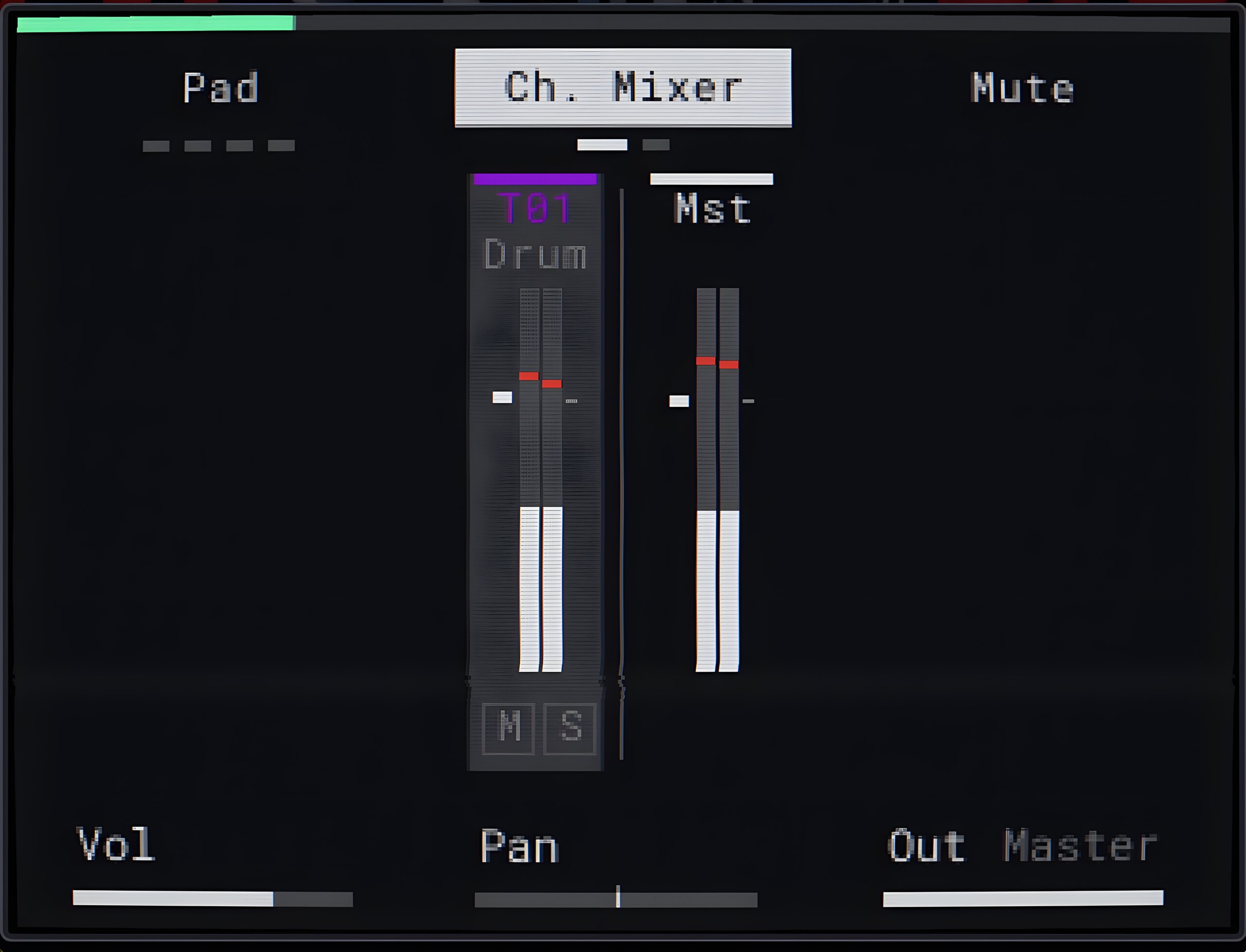
Needs MPC Sample firmware 1.3.0, its SD card and a USB cable, and a Mac or Windows computer to set it up. Already paid? Your MPC unlocks by itself in the app, and your purchase is on your account. Screen Bridge is made by Killavic Cheat Codes. It is not affiliated with or endorsed by Akai Professional or inMusic.
While it’s on, the MPC Sample may not charge from a computer or iPad. For long sessions, charge it switched off first.